How to Transcribe a YouTube Video to Text (2 Free Methods)
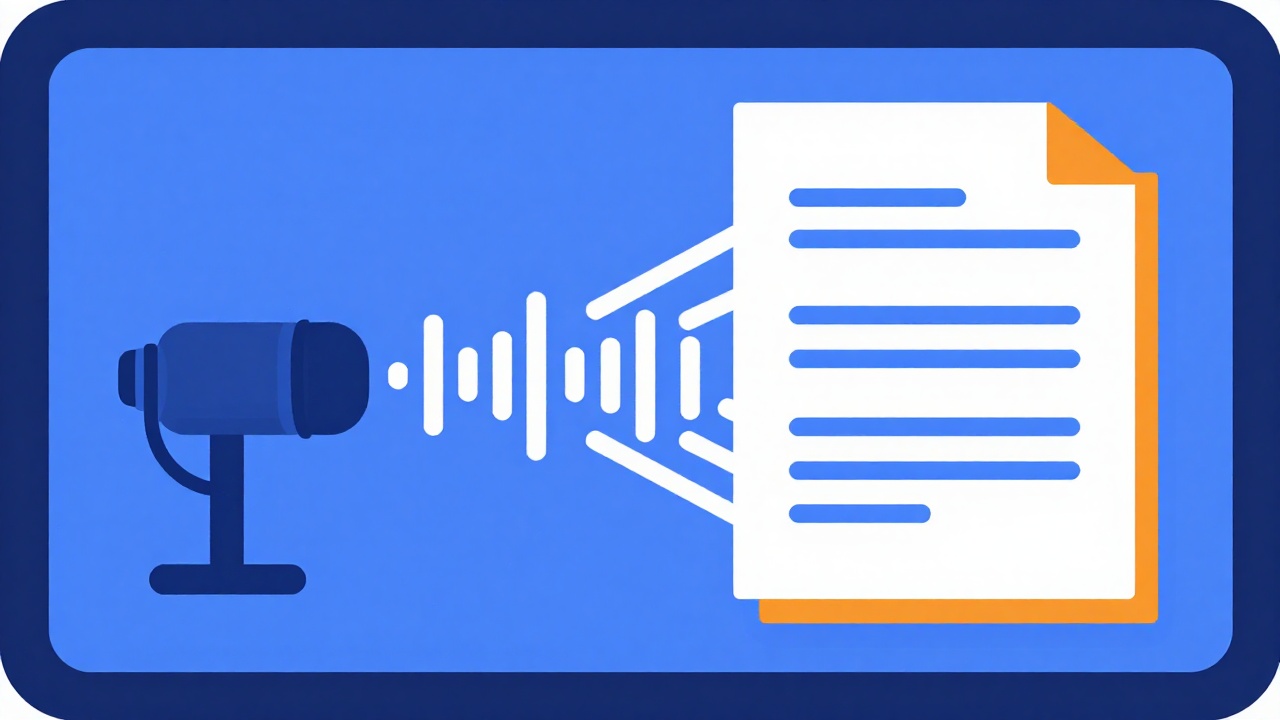
There are two free ways to transcribe a YouTube video to text. Paste the video link into our free YouTube transcript extractor to get the full text with no sign-up, or open the video's description on YouTube and click Show transcript.
Both methods read the captions that already exist on the video, whether the creator added them or YouTube generated them. Neither one runs speech recognition on demand, so a video with no captions returns no text either way. This guide covers both methods, what YouTube itself says about caption accuracy, and how to clean the text before you use it.
TL;DR
- To get the text as a file: paste the link into the free transcript extractor. No account, five download formats.
- To read it on YouTube: open the video's description and click Show transcript. YouTube's help page covers reading, not copying or downloading.
- Both methods need captions. No captions, no transcript.
- Proofread every time. YouTube says the quality of automatic captions varies.
- If the video is yours, fix the captions in YouTube Studio.
Table of contents
- Method 1: transcribe a YouTube video to text with the free tool
- Method 2: the built-in YouTube transcript
- What YouTube says about automatic caption accuracy
- What to do when a video has no transcript
- For creators: fix and download your own captions
- How to clean up a transcript
- Turn the transcript into a blog post
- FAQ
- Conclusion
Method 1: transcribe a YouTube video to text with the free tool
The YouTube transcript extractor is a free page on video2blog.ai. There is no account to create and nothing to install.
How to use it
- Copy the address of the video. A standard watch URL, a youtu.be short link, a Shorts link or an embed link all work. A channel or playlist page on its own is refused.
- Paste it into the field that reads Paste a YouTube video URL...
- Click Get the transcript, or press Enter. The button shows Fetching captions... while it works.
What you get
- The transcript, line by line. Each line starts with its timestamp. Untick Timestamps to read the text alone.
- A search box. Type a word into Search inside the transcript... and only the lines that contain it stay on screen, whatever the capitalization.
- A Copy button. It copies the full text without timestamps, even when a search is active. To keep the timestamps, download the .md file.
- A Download menu with five formats. Each file is named after the video ID, for example transcript-VIDEOID.txt.
- The video thumbnail. Click it to open the video on YouTube and check a line against the audio.
| Format | What the file contains |
|---|---|
| .txt | The full text as one block, without timestamps |
| .md | One paragraph per caption line, each starting with its timestamp in bold |
| .srt | Numbered subtitle cues with a start and an end time |
| .vtt | The same cues in WebVTT format |
| .json | The video ID and every line with its start time in seconds |
Above the transcript, a blue box offers to turn the same video into an article with video2blog.ai. That step is optional and goes through sign-up. The transcript does not.
What the tool does not do
- It does not transcribe audio. It reads the captions already on the video, manual or automatic. If there are none, there is nothing to extract.
- It does not edit or translate. No added punctuation, no corrections, no speaker labels, no choice of language. You get one existing caption track as YouTube provides it.
- It shows the transcript only. No word count, no video title, no channel name, no video length, no history, no share link.
- It only handles public videos that have captions. Private videos, members-only videos and some region-locked videos return nothing.
- Its subtitle timing is approximate. In the .srt and .vtt files, times are rounded to the second.
- It has a fair-use daily limit per visitor. Within that limit, it is free.
Method 2: the built-in YouTube transcript
YouTube has its own transcript feature. According to its help page, View video transcripts, a full transcript is available for any video that has captions.
On a computer
- In the video's description, click Show transcript. The transcript scrolls along as the video plays.
- Click a line of the transcript to jump to that moment in the video.

The same page adds that the transcript can show the video's chapters when it has some, along with other information such as the people and places mentioned.
You may have read elsewhere that the transcript sits behind a three-dot menu under the video. YouTube's help page does not mention that menu: it points to the description.
On a phone
YouTube's help page has no separate tab for Android or iPhone. It shows the same two steps whatever the device, and its introduction talks about tapping, so the place to look in the app is the same: the video's description, then Show transcript.
That is as far as the official documentation goes for phones. If you cannot find the button, the extractor from Method 1 is a web page, so you can open it in your phone's browser and paste the link there.
What the help page does not cover
YouTube's page documents reading the transcript and using it to move around the video. It does not describe a copy button, a download, a way to hide the timestamps, a search box or a choice of language.
So the built-in transcript suits reading along while you watch. To get the text into a document or a subtitle file, Method 1 is the more direct route.
What YouTube says about automatic caption accuracy
A transcript is only as good as the captions behind it. On its help page, Use automatic captioning, YouTube is candid about the limits of automatic captions.
- How they are made. They come from YouTube's speech recognition technology, which uses machine learning. YouTube says their quality may vary and encourages creators to add professional captions first.
- Where they go wrong. They can misrepresent what was said because of mispronunciations, accents, dialects or background noise. YouTube tells creators to always review them.
- When they appear. They are published automatically when available, but may not be ready when the video goes up. Processing time depends on how complex the audio is.
- Which languages. Automatic captions only exist in the languages YouTube lists on that page, which include English, Spanish, French, German, Portuguese and Italian. The list changes, so check it for yours.
- Masked words. By default, a setting replaces potentially inappropriate words with
[ __ ]in automatic captions.
The page gives no accuracy rate, no maximum video length and no processing delay. Treat any transcript made from automatic captions as a draft to check.
What to do when a video has no transcript
Start by checking whether the video has captions at all. On a computer, YouTube's caption settings page says the closed captions (CC) icon shows at the bottom right of the player when captions are available.
If there are none, YouTube gives six possible reasons for automatic captions to be missing:
- The captions are not available yet, because complex audio is still being processed.
- The language of the video is not supported by automatic captions.
- The video is too long.
- The sound quality is poor, or the speech is not recognized.
- There is a long period of silence at the start of the video.
- Several people are talking at the same time, or several languages are spoken at once.
What you can do depends on whose video it is:
- The video was just uploaded: wait and try again later. Reason 1 can resolve on its own.
- The video is yours: add or correct the captions in YouTube Studio (next section).
- The video is someone else's: neither method here can help. You would need a speech-to-text service that works from the audio itself, and the right to use the recording.
In the free tool, this case produces the message "Could not fetch the transcript for this video. It may have no captions, or be private."
For creators: fix and download your own captions
Everything in this section happens in YouTube Studio, so it only applies to videos on your own channel. The steps come from YouTube's help page, Edit or remove captions.
Correct automatic captions
- In YouTube Studio, click Subtitles in the left menu, then click the video.
- In the "Subtitles" column, click Edit for the language you want.
- For automatic captions, click Duplicate and edit, then Continue.
- Click inside a line, fix the text, then click Publish.
Editing automatic captions creates a new caption track that holds your corrections.
Download the caption file
- In YouTube Studio, click Subtitles, then click the video.
- Click Edit next to the language.
- Click Options, then Download subtitles.
Your browser downloads the file for that track, which you can edit in a plain text editor and upload again. The help page does not say which file formats this menu offers.
Add captions to a video that has none
YouTube's page on how to add subtitles and captions lists three options: upload a caption file, type the captions manually, or use Auto-sync. With Auto-sync, you paste or upload a transcript and YouTube sets the timing. The text must be in the same language as the video, and YouTube advises against this option for videos over an hour or with poor audio.
How to clean up a transcript
A raw transcript is spoken language written down. It repeats itself, restarts sentences and has no paragraphs. Five steps fix most of it.
- Pick the right export. Use the .txt file or the Copy button for plain prose. Use the .md file to keep the timestamps and check a passage against the video.
- Fix the words before the style. Names, brands and technical terms are the usual weak spots. Search for each one and listen to the passage when in doubt.
- Cut fillers and false starts. Remove "um", "you know", and the sentences the speaker abandoned halfway.
- Rebuild sentences and paragraphs. Add punctuation where it is missing and keep one idea per paragraph.
- Keep the meaning intact. Tidy the wording, never the substance, above all when you quote someone.
Here is an invented example of the kind of edit involved.
Before
So, um, what I, what I usually do is I start with search consul, and I look at the queries, you know, the ones that already get impressions.
After
I start with Search Console and look at the queries that already get impressions.
The filler and the repeated start are gone, and the product name is corrected. What the speaker said has not changed.
If your transcript comes from an interview, the bar is higher, because the words belong to your guest. Our guide on how to turn a video interview into a blog post covers quoting a guest accurately.
Turn the transcript into a blog post
A clean transcript is still not an article. Spoken language has no headings and rarely opens with the answer. Our explainer on what Google does with a published transcript shows why a transcript pasted into a page rarely earns a place in search.
To do the work by hand, follow our pillar guide on how to turn YouTube videos into blog posts. If your source is an audio show, see how to turn a podcast into a blog post.
To skip the manual part, video2blog.ai starts from the link of a YouTube video that has captions and writes a structured article: an intro, H2 and H3 sections, a clickable table of contents, a meta title, a meta description and a cover image. Generation takes about two minutes. Like the free tool, it works from the captions and does not transcribe audio.
- Your first article is free, with no credit card, once per account. You can read it in full, while export, publishing and sharing stay locked.
- After that, a 7-day free trial asks for a card and covers up to 5 articles.
- You review the article in an editor with an SEO score out of 100, then export it as Markdown, HTML, PDF or Word.
- One-click publishing goes to WordPress.org and Shopify.
To weigh it against the alternatives, see our comparison of the best video-to-blog tools.
FAQ
Can I transcribe someone else's YouTube video? Reading a transcript for your own notes is not the same as republishing it. The words belong to the person who made the video, so quote short passages with attribution and ask before you reuse a whole transcript. This is general guidance, not legal advice, and the rules depend on your country.
What if the video has no captions? Then there is no transcript to get, with either method. If the video was just uploaded, try again later: YouTube says automatic captions may not be ready at upload. If the video is yours, add captions in YouTube Studio.
Which languages does it work in? Automatic captions exist in the languages YouTube lists on its help page, including English, Spanish and French. Our free tool returns one existing caption track as it is: it does not translate and does not let you pick a language.
How do I get a YouTube transcript on my phone? YouTube's help page gives one set of steps for all devices: open the video's description and use Show transcript. It documents nothing specific to phones. The free extractor is a web page, so you can also paste the link there from your phone's browser.
How accurate is a YouTube transcript? YouTube publishes no accuracy figure on its help page. It says the quality of automatic captions varies and that mispronunciations, accents, dialects and background noise cause errors. Check names, numbers and quotes against the video before you use them.
Conclusion
To transcribe a YouTube video to text for free, pick the method that matches your need. The free transcript extractor gives you text you can search, copy and download. YouTube's Show transcript button lets you read along and jump around the video.
Both depend on captions, so plan a cleanup pass before you quote or publish anything. If the next step is an article, your first one on video2blog.ai is free, with no credit card, and takes about two minutes to generate.
Turn your YouTube video into a blog post
Try for free